01
Keep both in view.
Read and compare without the window shuffle. Split view puts 2 pages next to each other.
Explore split viewA native Mac browser. A fresh perspective.
A Mac browser for work, weekend plans and whatever comes next.
Keep related tabs together. Give every part of your day a space.
In development for macOS 26 and later
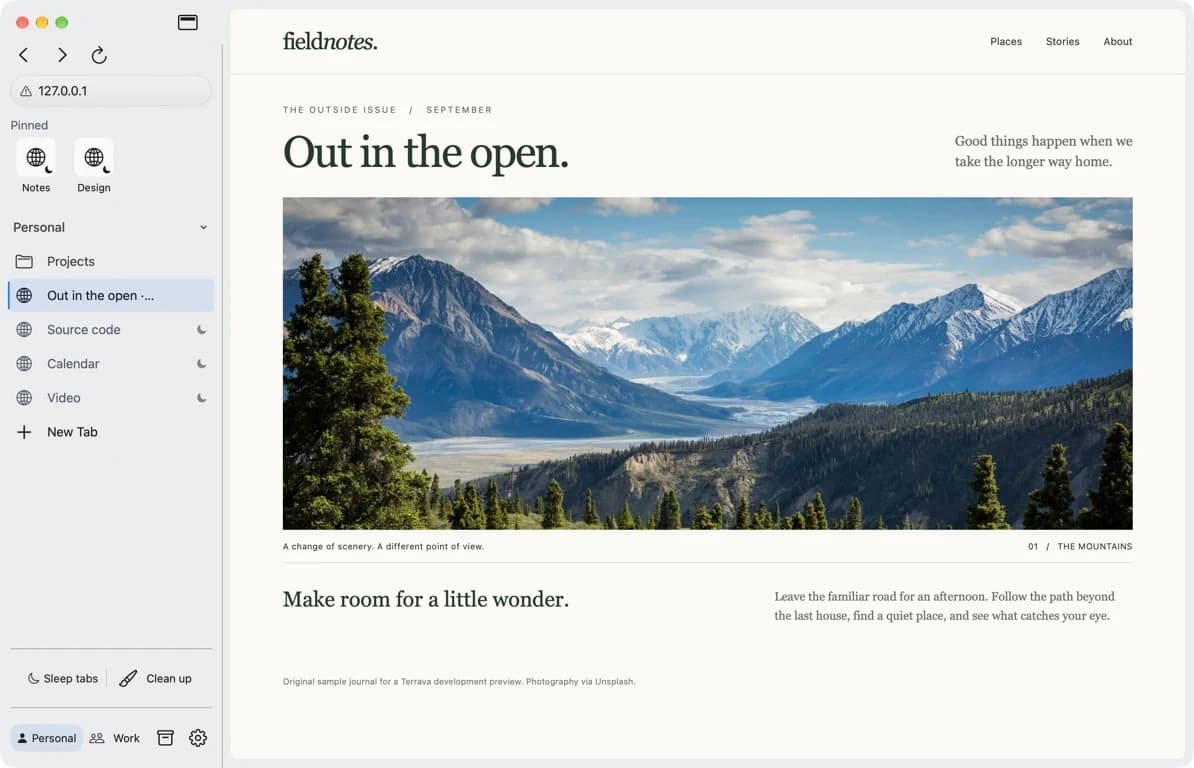
Feels at home on your Mac
A layout that works for you
Your spaces. Your pace.
01 / A place for everything
A project in progress. A trip taking shape. The article you actually want to finish. Keep related tabs together in spaces, with folders for the details.
Need separate sign-ins for work and home? Profiles keep their website data apart, too.
Find your way aroundA few good things.
The familiar places you come back to.
02 / Thoughtful, in the everyday
Useful details for the way you already browse.
Read and compare without the window shuffle. Split view puts 2 pages next to each other.
Explore split viewSleep releases background pages while keeping their tabs in place. Open one again and the page reloads.
See how sleep worksKeep links in Saved, ready for another day.
Follow a download, even after its tab closes.
Find a page again in your local history.
03 / A more personal browser
Your saved links and browsing history stay on your Mac. Separate profiles keep website data apart, and built-in blocking uses local rule lists.
Get the privacy details
A new home for your tabs
Get to know Terrava. A native Mac browser for the projects,
plans and little detours that make up your day.